The PM Awas Yojana Form Apply Online 2026 process has become one of the most searched topics among Indian citizens looking to own a permanent house. The Government of India continues to support eligible families through the Pradhan Mantri Awas Yojana (PMAY), a flagship housing scheme designed to provide affordable housing for economically weaker sections, low-income groups, and middle-income families.
PM Awas Yojana 2026 Key Highlights
| Scheme Name | Pradhan Mantri Awas Yojana (PMAY) |
| Launch Year | 2015 |
| Current Phase | PMAY 2.0 |
| Beneficiaries | Urban & Rural Families |
| Application Mode | Online & Offline |
| Official Category | Housing Scheme |
| Benefits | Housing Assistance & Subsidy |
| Official Portal | PMAY Urban & PMAY Gramin |
| PMAY-U 2.0 Duration | 2024–2029 |
| Urban Housing Target | 1 Crore Urban Families |
| Rural Housing Target | 4.14 Crore Rural Houses |
Eligibility Criteria for PMAY-U (Urban)
Before starting the PM Awas Yojana Form Apply Online 2026 process, applicants must check whether they meet the eligibility conditions.
- Families belonging to the Economically Weaker Section (EWS), Low Income Group (LIG), and Middle Income Group (MIG) categories living in urban areas.
- Households residing in kutcha or semi-pucca houses in cities and towns.
- Families that have not received a house under any other government housing scheme.
- EWS households with an annual family income of up to ₹3 lakh.
- LIG households with an annual family income between ₹3 lakh and ₹6 lakh.
- MIG households with an annual family income between ₹6 lakh and ₹9 lakh.
- Widows, single women, senior citizens, transgender persons, and differently-abled individuals.
- Applicants belonging to Scheduled Castes (SC), Scheduled Tribes (ST), minorities, and other economically weaker sections.
- Families that do not own a permanent (pucca) house anywhere in India.
Eligibility Criteria for PMAY-G (Gramin)
- Houseless households that do not have any shelter.
- Families living in kutcha houses with kutcha walls and kutcha roofs.
- Households residing in homes with zero, one, or two rooms, as identified in the SECC 2011 survey.
- Destitute families and households dependent on alms for survival.
- Manual scavenger families.
- Members of Primitive Tribal Groups (PTGs) and other vulnerable tribal communities.
- Legally released bonded labourers.
- Rural families that do not own a pucca house and meet the socio-economic criteria prescribed by the government.
Documents Required for PM Awas Yojana Form Apply Online 2026
Before starting the PM Awas Yojana Form Apply Online 2026 process, applicants should keep all necessary documents ready. Incomplete or incorrect documentation is one of the most common reasons for application delays or rejection. The required documents may vary slightly depending on whether you are applying under PMAY Urban or PMAY Gramin, but the following documents are generally required.
Identity Proof
- Aadhaar Card (mandatory in most cases)
- PAN Card
- Voter ID Card
- Passport
- Driving Licenc
Address Proof
The following documents can be used as address proof:
- Aadhaar Card
- Ration Card
- Electricity Bill
- Water Bill
- Voter ID Card
- Passport
Income Proof
- Income Certificate
- Salary Slips (last 3–6 months)
- Form 16
- Income Tax Returns (ITR)
- Employer Certificate (if applicable)
Bank Account Documents
Applicants should provide:
- Bank Passbook
- Recent Bank Statement
- Aadhaar-linked Bank Account Details
- Cancelled Cheque (if required)
Property or Land Documents
- Land Ownership Documents
- Sale Deed
- Property Registration Papers
- Allotment Letter
- Possession Certificate
Passport-Size Photographs
- Recent passport-size photographs of the applicant and family members may be required during the verification process.
Additional Documents (If Applicable)
- Caste Certificate (SC/ST/OBC)
- Disability Certificate
- Widow Certificate
- BPL Certificate
- Self-Declaration Affidavit stating that no family member owns a pucca house anywhere in India.
Official Website Links
- PMAY–G Official Website
- PMAY–U Official Website
How to Apply PM Awas Yojana Form Online 2026
- Eligible beneficiaries can apply for the PM Awas Yojana (PMAY) 2026 through the official online portal. The application process is simple and can be completed from home by following the steps below.
Step 1: Visit the Official PMAY Portal
First, visit the official PMAY website and select the appropriate scheme:
- PMAY Urban (PMAY-U) for urban residents
- PMAY Gramin (PMAY-G) for rural residents
Applicants should carefully read the eligibility conditions before proceeding.
Step 2: Complete Aadhaar Verification
- Enter your 12-digit Aadhaar number.
- Verify your identity using the OTP sent to your registered mobile number.
- Ensure that your Aadhaar details match your application information.
Step 3: Fill Out the Application Form
Enter all required details, including:
- Applicant Name
- Date of Birth
- Mobile Number
- Family Information
- Current Residential Address
- Annual Family Income
- Bank Account Details
- Property or Land Information (if applicable)
Double-check all information before moving to the next step.
Step 4: Select the Appropriate PMAY Category
Choose the category that applies to you:
- EWS (Economically Weaker Section)
- LIG (Low Income Group)
- MIG (Middle Income Group)
Urban applicants may also need to select the applicable PMAY-U component such as Beneficiary-Led Construction (BLC) or Affordable Housing in Partnership (AHP).
Step 5: Upload Required Documents
Upload scanned copies of:
- Aadhaar Card
- PAN Card
- Income Certificate
- Address Proof
- Bank Passbook
- Property Documents (if required)
- Passport Size Photograph
- Self-Declaration Affidavit
Ensure all uploaded documents are clear and valid.
Step 6: Review and Submit the Application
- Carefully review all entered information.
- Verify uploaded documents.
- Submit the application form online.
PM Mudra Loan Scheme 2026: Eligibility, Benefits, Interest Rate & Online Application
How to Check PMAY Application Status 2026
After successfully submitting the PM Awas Yojana (PMAY) 2026 application form, applicants can easily track their application status online. The government provides an online facility that allows beneficiaries to check the progress of their application and verify whether it has been approved, is under verification, or requires additional information.
Step 1: Visit the Official PMAY Portal
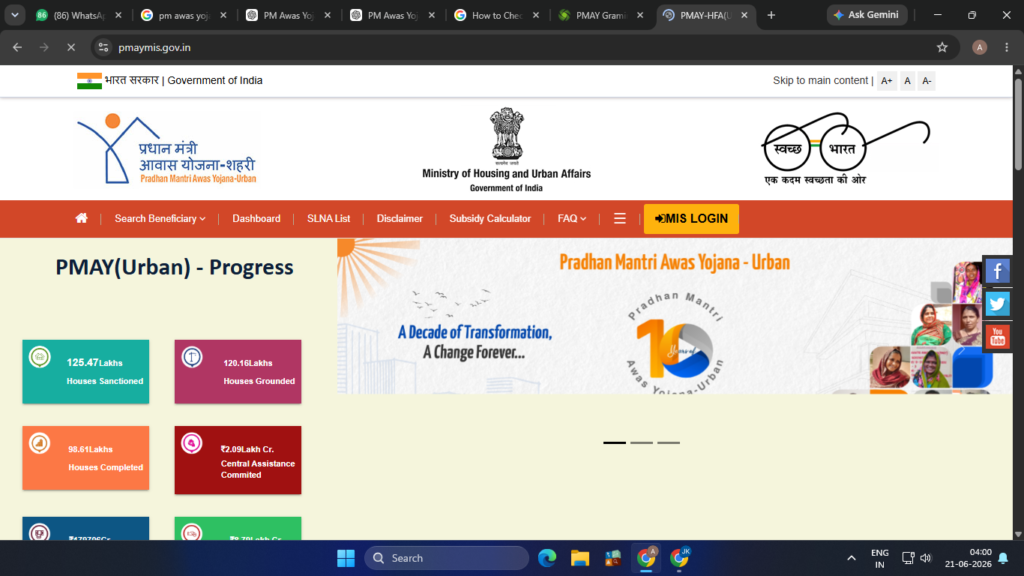
Open the official PMAY website and select the appropriate scheme:
- PMAY Urban (PMAY-U) for urban beneficiaries
- PMAY Gramin (PMAY-G) for rural beneficiaries
Step 2: Navigate to the Status Check Section
On the homepage, look for options such as:
- “Track Your Assessment Status”
- “Beneficiary Status”
- “Application Status”
Click on the relevant option to proceed.
Step 3: Enter Required Details
You can check your PMAY application status using any of the following details:
- Application Number
- Assessment ID
- Aadhaar Number
- Registered Mobile Number (if applicable)
Make sure the information entered matches the details provided during registration.
Step 4: Verify Information
- Complete the captcha verification and click on the Submit or Search button.
Step 5: View Application Status
Your application details will be displayed on the screen, including:
- Application Status
- Beneficiary Name
- Registration Number
- Verification Status
- Approval Status
- Payment/Installment Status (if approved)
How to Check PMAY-G Beneficiary Status 2026
If you have applied under Pradhan Mantri Awas Yojana Gramin (PMAY-G), you can easily check your beneficiary status online using your Registration Number or by searching your details through the official portal. The PMAY-G portal allows beneficiaries to track approval status, installment payments, sanction details, and construction progress.
How to Check PMAY Gramin Beneficiary List on pmayg.nic.in — Step by Step
Step 1: Visit the Official PMAY-G Website
- Open the official PMAY-G portal:
- PMAY-G Portal: pmayg.nic.in
- You can also access beneficiary reports through the Awaassoft portal.
Step 2: Click on “Awaassoft”
- On the homepage, locate the Awaassoft option in the top navigation menu.
Step 3: Select “Report”
- From the dropdown menu, click on Report to open the reports dashboard.
Step 4: Open Beneficiary Reports
- Select H Section (Physical Progress Report), or
- Navigate directly to Beneficiary Details for Verification
Step 5: Select Location Details
- State
- District
- Block
- Gram Panchayat
- Village
- Financial Year (2025-26 or 2026-27, as applicable)
Step 6: Generate the Beneficiary List
- Click on the Submit button.
- The PMAY-G Beneficiary List for your selected village will appear on the screen.
Step 7: Check Your Name
- Beneficiary Name
- Registration Number
- Category
- Sanction Status
- House Approval Details
- Installment Payment Status
- Construction Progress
Frequently Asked Questions (FAQs) – PM Awas Yojana Form Apply Online
- What is PM Awas Yojana (PMAY)?
- PM Awas Yojana (PMAY) is a flagship housing scheme launched by the Government of India to provide affordable and permanent houses to eligible urban and rural families under PMAY-U and PMAY-G.
- Who is eligible to apply for PM Awas Yojana 2026?
- Families belonging to EWS, LIG, and eligible MIG categories who do not own a pucca house anywhere in India can apply. Rural households identified under PMAY-G guidelines are also eligible.
- How can I apply for PM Awas Yojana Form Online 2026?
- Applicants can apply online through the official PMAY Urban or PMAY Gramin portal by completing Aadhaar verification, filling out the application form, uploading documents, and submitting the application.
- What documents are required for PMAY 2026 registration?
- Aadhaar Card
- PAN Card
- Income Certificate
- Address Proof
- Bank Passbook
- Passport Size Photograph
- Property/Land Documents (if applicable)
- Can I apply for PMAY if I already own a house?
- No. Applicants or their family members should not own a pucca house anywhere in India to be eligible for PMAY benefits.
- How can I check my PMAY application status?
- You can track your application status online using your Application Number, Assessment ID, or Aadhaar Number through the official PMAY portal.
- How can I check the PMAY-G Beneficiary List 2026?
- Visit the PMAY-G portal, open the Reports section, select your State, District, Block, Gram Panchayat, and Financial Year, then view the beneficiary list for your village.
- EWS: Up to ₹3 lakh annually
- LIG: ₹3 lakh to ₹6 lakh annually
- MIG: ₹6 lakh to ₹9 lakh annually (subject to applicable guidelines)
9 How much financial assistance is available under PMAY-G?
- Eligible beneficiaries receive financial assistance for house construction as per the latest government guidelines and state-specific provisions.
- How do I know if my PMAY-G house has been approved?
- You can check your beneficiary status online. If the status shows “Sanctioned” or “Approved,” your house has been approved under the scheme.
- Can I check PMAY-G status without a registration number?
- Yes. You can use the Advanced Search option on the PMAY-G portal by selecting your State, District, Block, Panchayat, and personal details.
- What should I do if my name is not in the PMAY beneficiary list?
- You should contact your Gram Panchayat, Urban Local Body (ULB), or Block Development Office and verify your application details and eligibility status.
- Is Aadhaar mandatory for PMAY registration?
- Yes, Aadhaar is generally required for identity verification and beneficiary authentication during the application process.
- Can women apply under PM Awas Yojana?
- Yes. PMAY encourages women ownership or co-ownership of houses, and women applicants often receive priority under the scheme.
15 Where can I find the official PMAY websites?
- PMAY-G Official Portal: pmayg.nic.in
- PMAY-U Official Portal: pmay-urban.gov.in