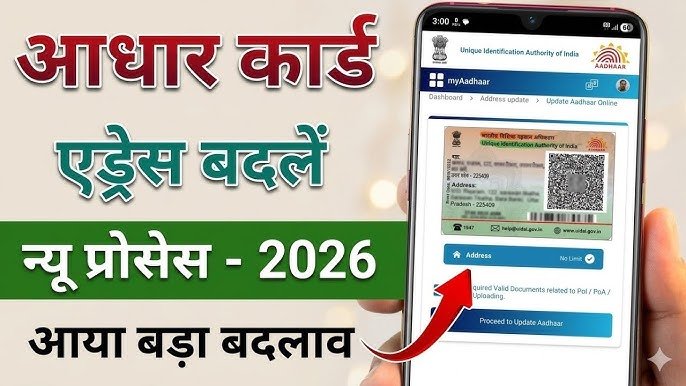
Aadhaar card has become easier with the official mAadhaar application by UIDAI (Unique Identification Authority of India). The app allows residents to access various Aadhaar services directly from their smartphones without always carrying a physical Aadhaar card
Aadhaar Card Update Online 2026
Aadhaar Card is one of the most important identity documents in India. With the help of Aadhaar Card Update Online services, residents can update their personal details, check Aadhaar status, download e-Aadhaar, and manage Aadhaar-related services easily.
What is Aadhaar Card Update Online?
Aadhaar Card Update Online is a digital service provided by UIDAI that helps residents modify their Aadhaar information securely. Keeping Aadhaar details updated helps avoid problems while using banking services, government schemes, SIM verification, and online applications.
How to Update Aadhaar Card Details Online
Follow these steps to update your Aadhaar details
- Visit the official My Aadhaar UIDAI portal.
- Login using your Aadhaar number and OTP.
- Select the Aadhaar update service.
- Choose the details you want to update.
- Upload required documents if needed.
- Submit the request and save the Update Request Number (URN).
- Track your Aadhaar update status online.
Aadhaar Card Update Details
You can update the following details in your Aadhaar Card
- Mobile Number
- Email ID
- Address
- Name Correction or Name Change
- Date of Birth
- Gender
- Photo Update
- Fingerprint and Iris Biometrics
- Correction of mistakes made during Aadhaar enrolment
- Child Aadhaar biometric update at age 5 years and 15 years
How to Update Aadhaar Address Online?
- Visit the My Aadhaar portal.
- Login using Aadhaar number and OTP.
- Select “Address Update”.
- Click “Proceed to Update Aadhaar”.
- Enter your new address details.
- Upload valid address proof.
- Submit the request after checking details.
How to Update Date of Birth in Aadhaar?
- Visit the nearest Aadhaar Seva Kendra.
- Fill the Aadhaar Update Form.
- Submit Date of Birth proof.
- Complete biometric verification.
- Pay applicable charges.
- Collect URN receipt.
Aadhaar Details You Can Update
You may be able to update
- Aadhaar Address Update
- Mobile Number Update
- Email ID Update
- Name Correction in Aadhaar
- Date of Birth Correction
- Gender Update
- Document Update
Benefits of Updating Aadhaar Card
Keeping your Aadhaar updated provides many benefits
- Easy access to government services
- Faster KYC verification
- Smooth banking transactions
- Secure identity verification
- Access to online Aadhaar services
My Aadhaar App Features
The official Aadhaar mobile application helps users manage Aadhaar services easily.
- Download Aadhaar Card
- View Aadhaar details
- Check Aadhaar update status
- Access digital Aadhaar services
- Manage Aadhaar information securely
Documents Required for Aadhaar Update
- Identity proof
- Address proof
- Date of birth proof
- Supporting documents as required by UIDAI
My Aadhaar App Features
- Download Aadhaar Card
- View Aadhaar details
- Check Aadhaar update status
- Access digital Aadhaar services
- Manage Aadhaar information securely
How to Check Aadhaar Update Status Online
Follow these simple steps to check your Aadhaar update status:
Step 1: Visit UIDAI Official Website
- Open the official UIDAI Aadhaar service portal.
Step 2: Select Aadhaar Update Status Option
- Choose the option to check your Aadhaar update request status.
Step 3: Enter Required Details
- Aadhaar Update Request Number (URN/SRN)
- Aadhaar number (if required)
- Security verification code
Step 4: Submit Information
- Click on the submit button to view your Aadhaar update status.
Step 5: Check Status Result
- Your Aadhaar update status will appear on the screen.
How Long Does Aadhaar Update Take?
- The time required for Aadhaar updates may vary depending on the type of update and verification process. Users can regularly check their Aadhaar Update Status Online for the latest information.
Frequently Asked Questions (FAQs) – Aadhaar Card Update Online
How can I update my Aadhaar Card online?
- You can update your Aadhaar Card online through the official My Aadhaar portal. Currently, online services mainly support Aadhaar address updates. Other details like name, mobile number, date of birth, and biometrics require an Aadhaar Enrolment Centre visit.
Which Aadhaar details can be updated online?
- At present, you can update your Aadhaar address online. Other details such as name, mobile number, email ID, date of birth, gender, photo, and biometrics need offline verification.
How can I update my Aadhaar address online from home?
- Visit the My Aadhaar portal.
- Login using your Aadhaar number and OTP.
- Select Address Update.
- Upload valid address proof.
- Submit the request and save your SRN for tracking.
How can I change my mobile number in Aadhaar?
- To update your Aadhaar mobile number, visit the nearest Aadhaar Seva Kendra or Aadhaar Enrolment Centre. Submit the update form and complete biometric verification.
What documents are required for Aadhaar update?
- Identity proof (PAN Card, Passport, Voter ID)
- Address proof (Bank Passbook, Ration Card, Voter ID)
- Date of birth proof (Birth Certificate, Passport)